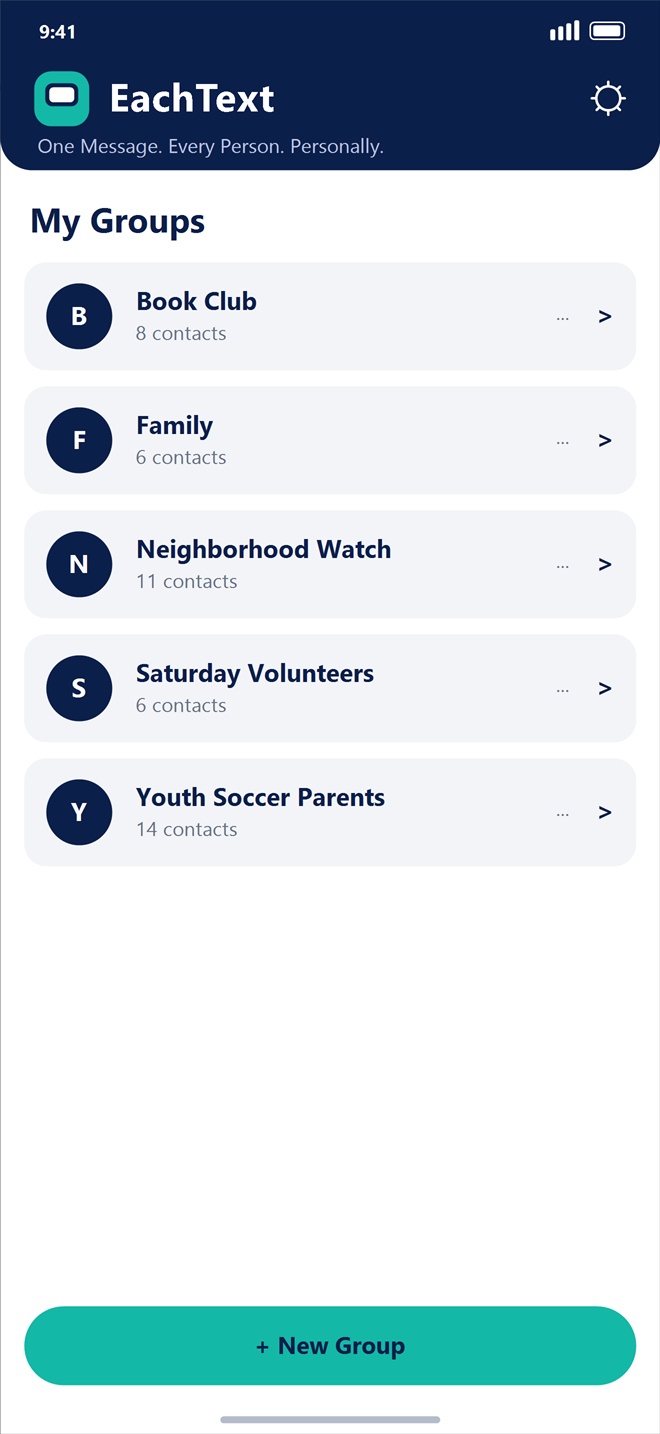
Organize Your Groups
Keep all of your personal, family, volunteer, and community groups organized in one clean dashboard.
Write your message once, insert each person’s first name automatically, and send separate one-to-one text messages through your iPhone’s built-in Messages app—without creating a group thread where everyone sees each other’s phone numbers and replies.
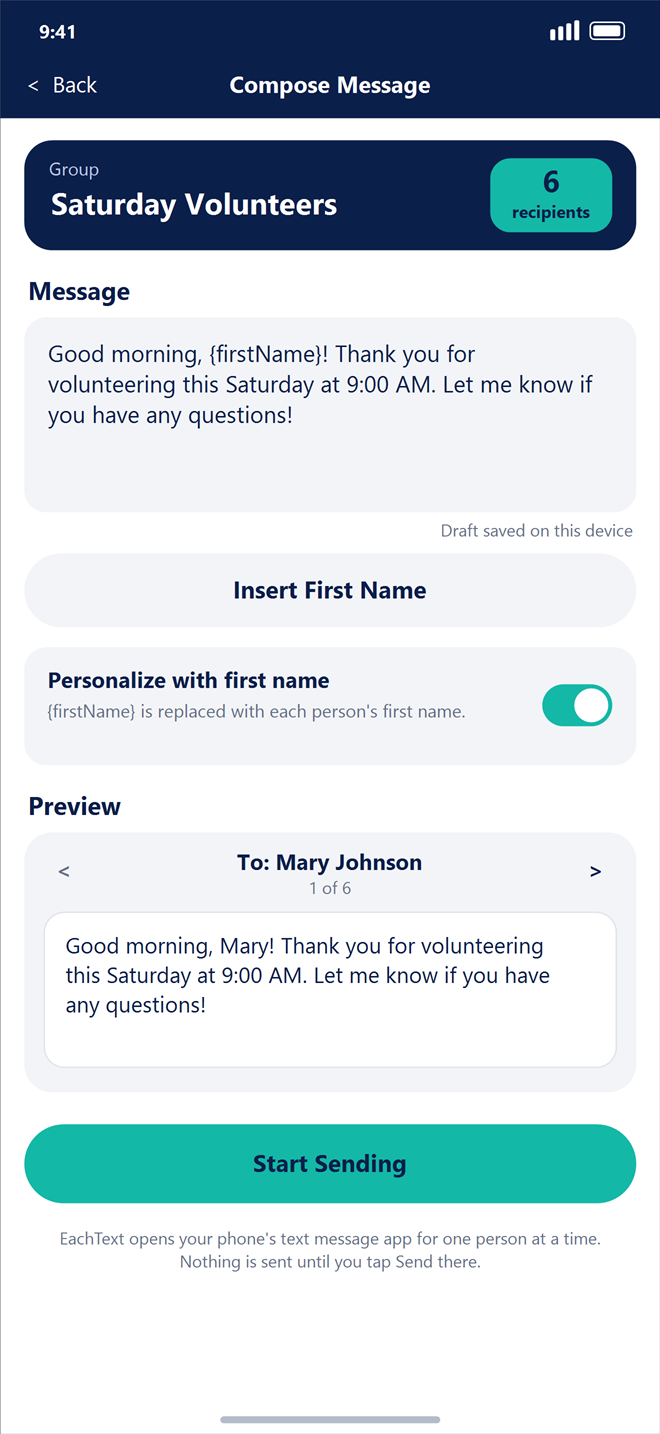
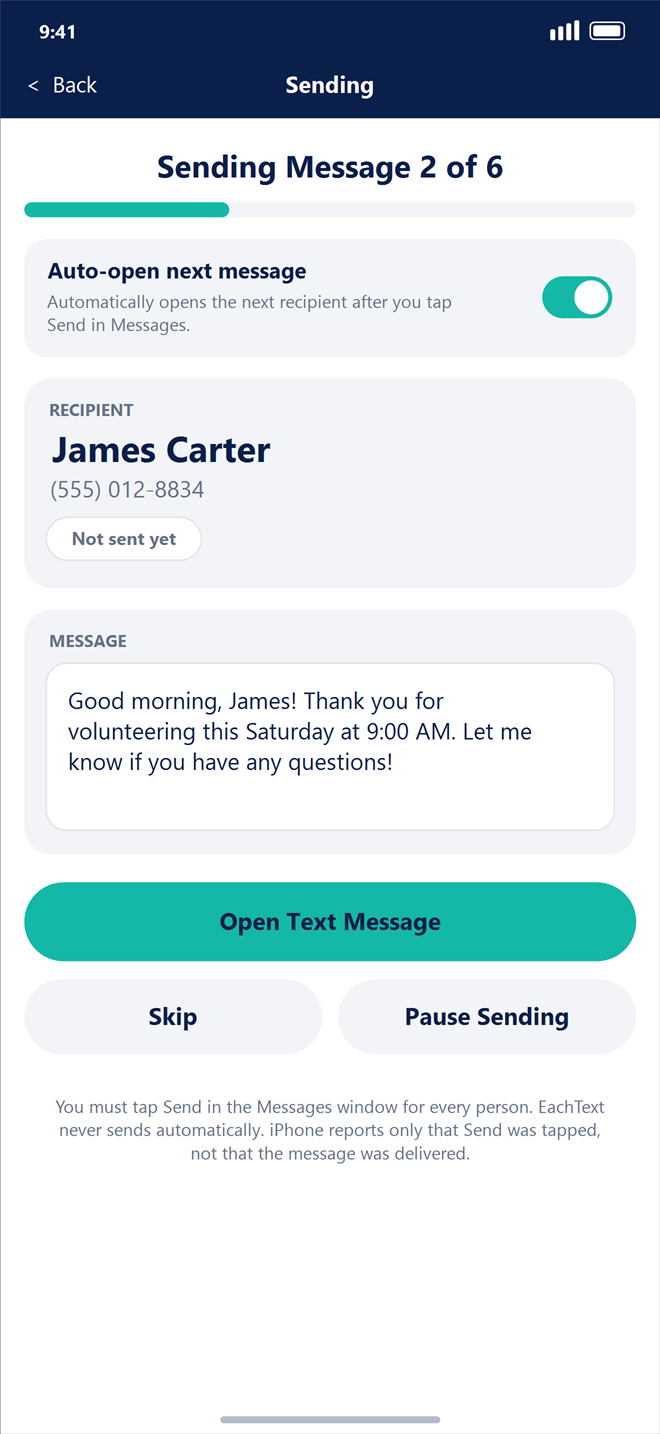
EachText prepares each recipient’s individual text message and opens your iPhone’s native Messages composer one person at a time. You tap Send for each person, and EachText automatically opens the next message.
Organize reusable contact groups on your iPhone such as Saturday Volunteers, Youth Soccer Parents, or Family.
Pick people from your iPhone Contacts with alphabetical search, and choose which telephone number to use when someone has multiple numbers.
Write your message once and tap Insert First Name to place {firstName} wherever each recipient’s first name should appear.
Flip through your group members before sending to verify the exact personalized wording each person will receive.
Tap Send inside Apple Messages for the first person. As soon as that window closes, EachText automatically opens the next person’s message.
Explore the complete EachText workflow on iPhone—from organizing contact groups to sending individual personalized messages.
Keep all of your personal, family, volunteer, and community groups organized in one clean dashboard.
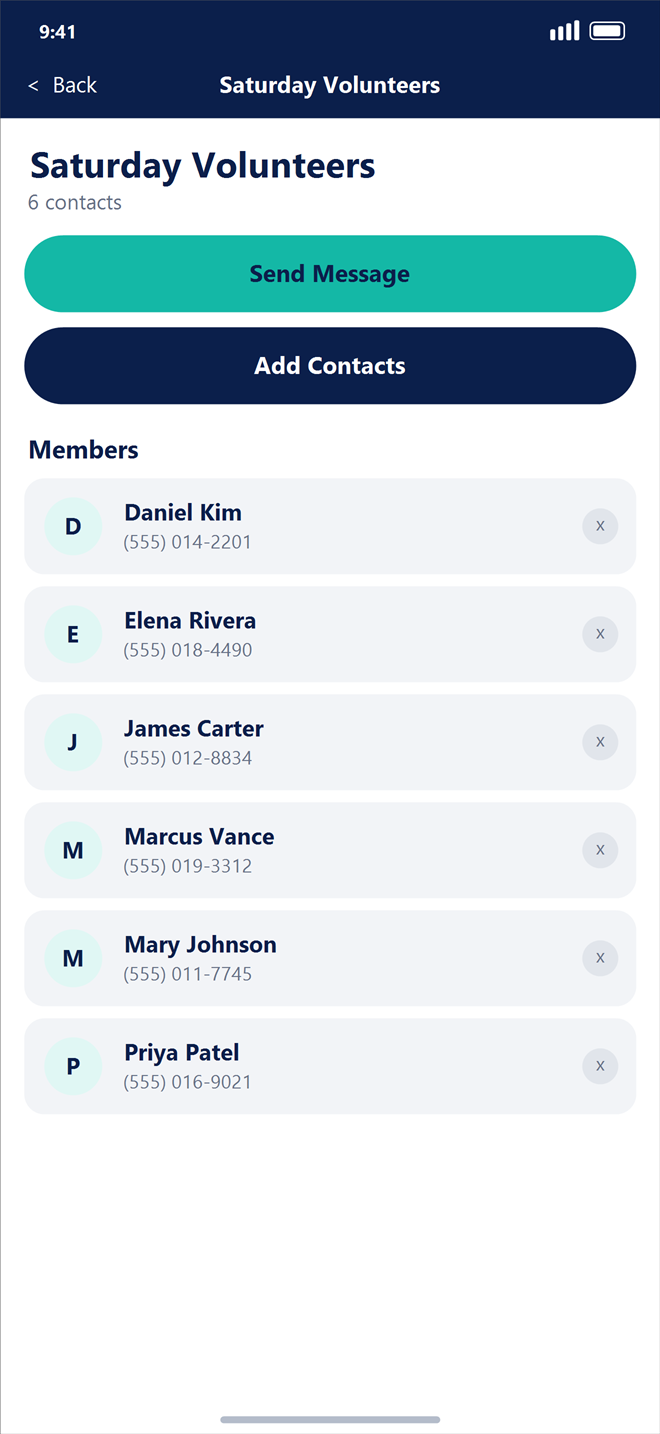
View everyone in your group at a glance, add new members anytime, or start a new message in one tap.
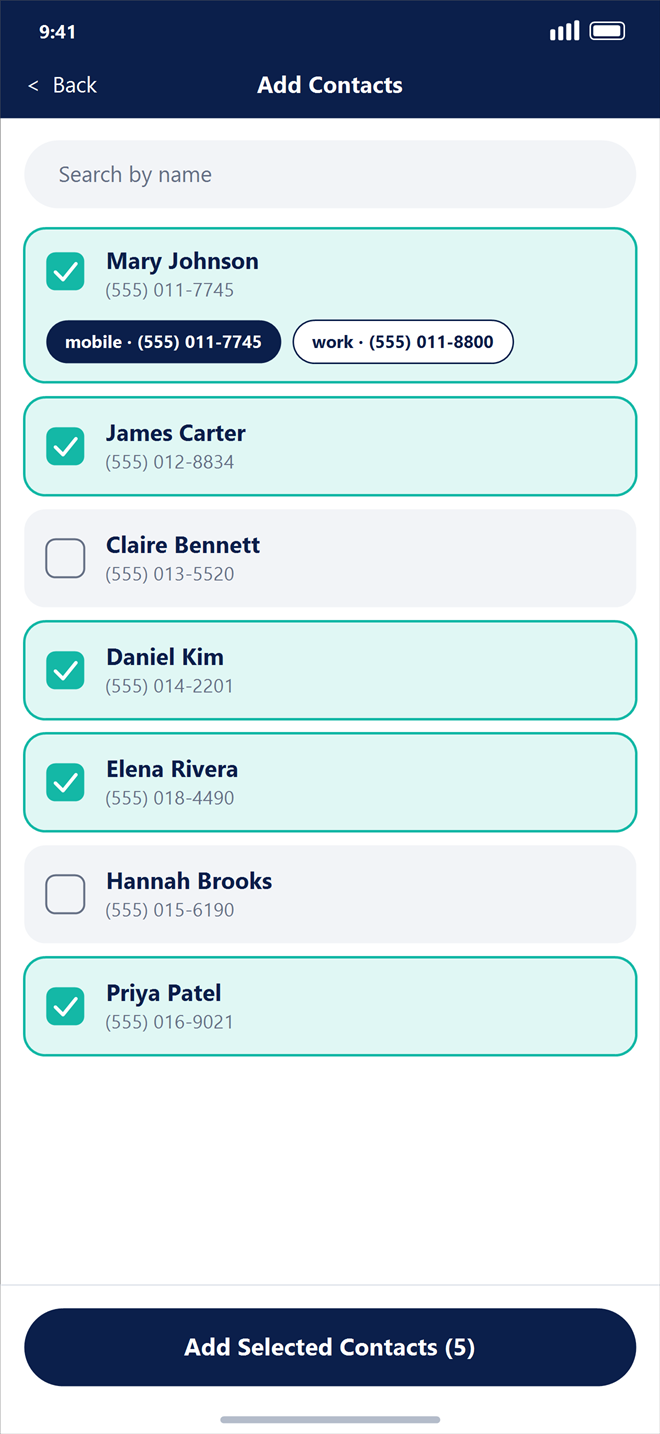
Select people from your iPhone Contacts and choose between mobile or work numbers when a contact has more than one.
Use {firstName} to greet every recipient by name. Drafts save automatically on your device while you work.
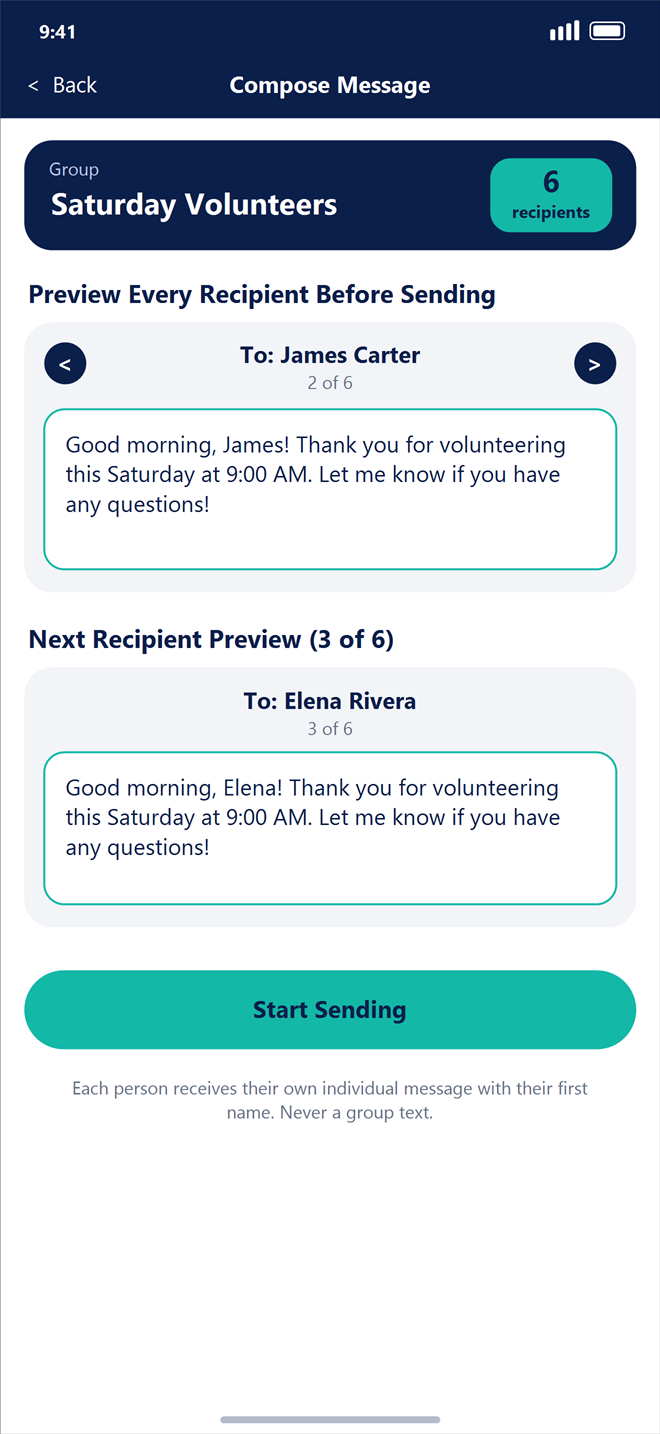
Step through every recipient before you start sending so you know each personalized message reads naturally.
Tap Send in Apple Messages for each person and let EachText automatically open the next recipient’s pre-filled composer.
Built specifically for iPhone to make individual one-to-one messaging fast, thoughtful, and completely private.
Every person receives a private one-to-one text message from your own phone number through Apple Messages. Recipients never see a group thread, other people’s numbers, or reply-all notifications.
Tap Insert First Name to add {firstName} to your message. EachText fills in each person’s first name automatically—and cleanly removes extra commas or spaces if a contact has no first name saved.
With Auto-open next message enabled, you don’t have to tap extra buttons between recipients. After you tap Send in Messages and the sheet closes, EachText immediately opens the next person’s message.
Build as many contact groups as you need from your iPhone Contacts. Add or remove group members anytime without ever altering or deleting entries in your iPhone’s Contacts app.
Need to skip a recipient, retry a cancelled message, or pause mid-group? EachText tracks your progress locally so you can resume right where you left off without sending duplicates.
Your contact groups, message drafts, and sending sessions never leave your iPhone. EachText requires no account, uses no cloud database, and includes a one-tap Delete All My Data option in Settings.
When a message matters, a personal one-to-one text from your own phone number makes all the difference.
Check in personally with congregation members, small groups, prayer teams, youth parents, and Sunday volunteers so every person can reply privately to their pastor or group leader.
Coordinate Saturday volunteers, board members, donors, and community event participants with personal reminders and thank-you notes that never expose everyone’s phone numbers.
Send holiday greetings, reunion updates, birthday reminders, and family check-ins to relatives and close friends without trapping everyone in a noisy 20-person group thread.
Keep sports parents, book clubs, neighborhood watches, and committees informed with clear schedule updates where questions come straight back to the organizer one-on-one.
Follow up thoughtfully with clients, students’ parents, or colleagues from your own number using personal messages that respect everyone’s time and privacy.
EachText is designed for personal communication with people who know you and expect to hear from you. You manually review and tap Send in Apple Messages for every single recipient.
Do not use EachText for spam, unsolicited marketing, harassment, or unlawful bulk messaging, and always honor requests to stop receiving messages by removing that person from your groups.

EachText for iPhone is preparing for its public release on the Apple App Store. Completely free, private by design, and built for genuine one-to-one communication.
Coming Soon to the Apple App StoreRequires iPhone with iOS Messages enabled · Published by The Victory Project, Inc. · Questions? Email support@eachtext.com